
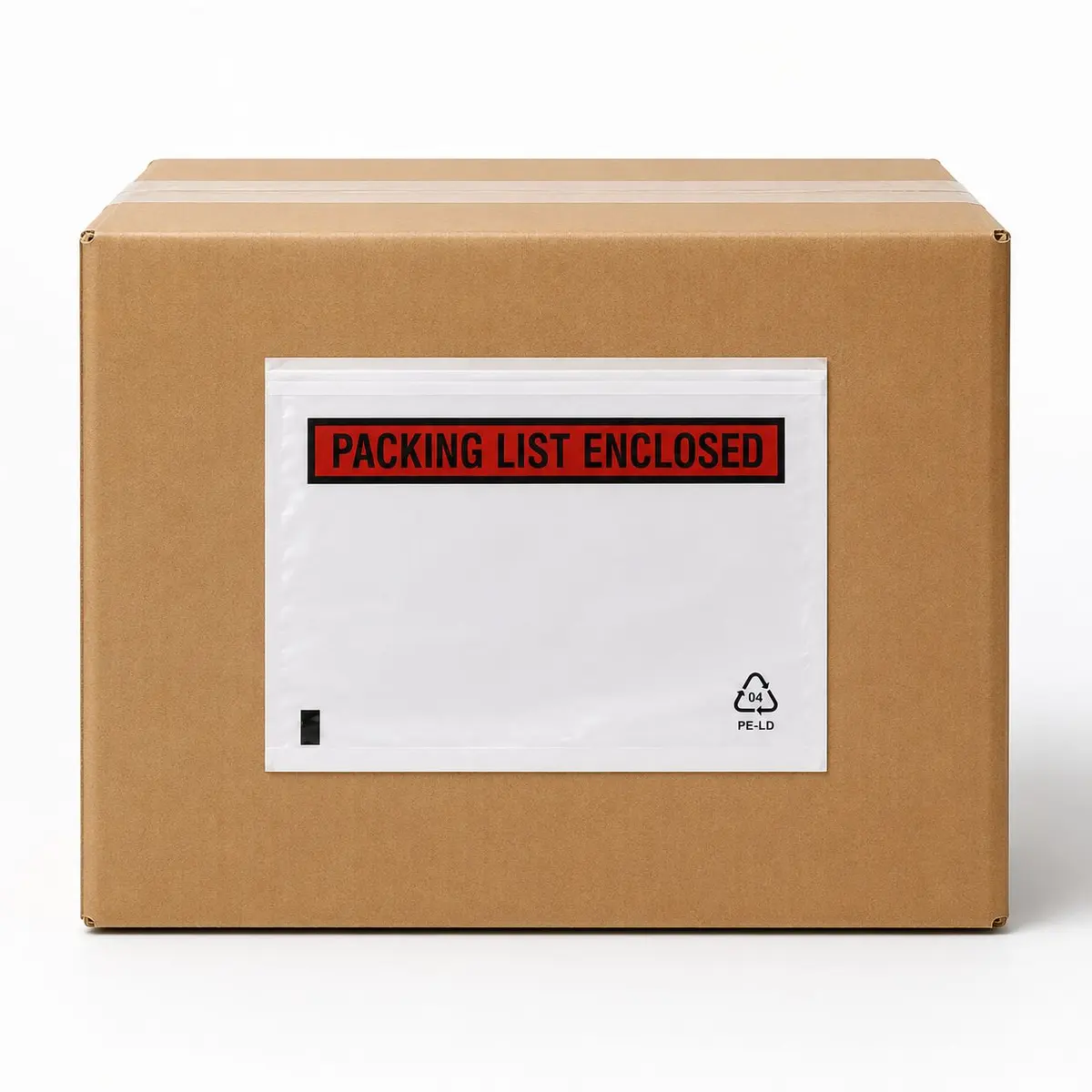
Documents Unreadable Through the Pouch? Condensation and Glare
A clear packing list envelope only works if people and scanners can read the document without opening it. When the window fogs, throws glare at a scanner, or the print is too faint, the whole point of an outside pouch is lost. Parcels then stall at receiving.
Each of these failures has its own cause and its own fix. I will go through them one by one, because the wrong fix wastes money.
We have made packaging in Jaipur since 1997, and I would say many readability problems have nothing to do with the pouch material. We still get the blame (and we are fine with that).
Why are documents unreadable through the pouch window?
Three different problems get blamed on “the pouch”. They are condensation, glare and weak print, and they need different fixes.
- Condensation shows as a milky haze of tiny droplets on the inside of the film. The paper is usually dry. The moisture is on the plastic.
- Glare is trickier. The window looks clear to your eye, but the scanner cannot lock on because the glossy face mirrors light back into its sensor.
- Weak print means the film is clear and dry, yet the text or barcode is faint, grey or too small.
I would find out which one you have before you change anything.
What causes condensation inside the pouch?
The air sealed inside the pouch has cooled below its dew point. Cool air cannot hold as much water vapour, so the extra vapour settles as droplets on the inner film, and those droplets scatter light.
Think of a cold glass of water on a humid day in the monsoon. The outside of the glass goes wet within minutes. A pouch coming out of a chiller does the same thing, only on the inside.
This is mostly a cold-chain problem.
The usual drivers are:
- A temperature change in transit, such as freezer to dock or container to yard.
- Humid packing conditions, because warm, moist air sealed in at packing has more vapour to give up later.
- A damp document. This is rare, but a slightly damp sheet adds moisture to the pouch.
The fix is anti-fog film. Anti-fog additives are blended into the polyethylene when it is made, and they move to the surface of the film. There they make water spread into a thin, clear layer instead of beading into droplets. The window stays see-through even while condensation forms.
Pair that with filling pouches in a drier area, and letting cold parcels sit for a while before scanning. We make anti-fog grades for exactly this kind of temperature swing, and I think they are worth the small extra cost only if your parcels really cross a chiller door.
Why won’t the barcode scan through the window?
A glossy film reflects the scanner’s own light straight back into the sensor. The bars may be printed perfectly and look fine to a person, but the scanner sees a bright hotspot.
Here are the fixes, from easiest to most lasting:
- Change the angle. Hold the scanner 10 to 15 degrees off square so the glare bounces away.
- Soften the light. Harsh overhead lamps make a sharper hotspot on glossy film.
- Flatten the document, because a bowed or wrinkled sheet creates curved reflections.
- Switch to a matte window. A matte face scatters light, so the reader gets contrast from many more angles.
The first three cost nothing.
The fourth is the real answer on a busy automated line, and I would only pay for it there. On a desk where one person scans 50 parcels a day, a better angle usually does the job. For more on clean reads at the dock, see reducing shipping errors with document pouches.
Glossy vs matte vs anti-fog: which film fixes which problem?
Each failure points to a different choice. Match your symptom to the row.
| Symptom | Root cause | Best film or finish | Also do |
|---|---|---|---|
| Cloudy, milky window | Condensation (dew point) | Anti-fog film | Fill pouches in a dry area, let cold parcels settle |
| Clear window, scanner will not read | Glare | Matte or anti-glare face | Tilt scanner 10 to 15°, soften lighting |
| Clear, dry window, faint text | Low print contrast | Any clear film | Black on white, full density, larger fonts |
| Curled or bowed document | Orientation | Any | Insert flat, printed side out |
How does print contrast affect readability?
If the film is clear and dry but the document is still hard to read, the print is the problem. A window can only show what is on the paper.
The usual contrast killers are low toner or a worn ribbon, draft print mode, coloured or recycled paper, and fonts that are simply too small to read through film at arm’s length.
Print black on white at full density. Enlarge the order number, destination and barcode, and keep the barcode away from folds. None of this costs extra, and it fixes a lot of “unreadable” complaints that have nothing to do with the pouch. We would honestly rather you fix the printer than buy a new film you do not need.
Does document orientation really matter?
Yes, more than most buyers expect. The document should sit printed side out, flat and flush against the window.
A sheet that is bowed, folded with the print facing in, or curling at one corner will defeat even a perfect anti-fog, matte pouch. So keep these three habits:
- The printed side always faces the window.
- The barcode sits flat and central, never on a fold line or near the sealed edge.
- The document is the right size for the pouch, so it lies flat instead of buckling. An A4 sheet folded twice into a DL pouch sits flatter than one forced into an A6.
Our products page lists the standard sizes. For long multi-page sets, see handling oversize and multi-page documents.
How do I diagnose my own readability problem?
Run the symptom through the table before you change suppliers. A cloudy window needs anti-fog film and drier filling. A clear window that will not scan needs a better angle, softer light and maybe a matte face. Faint print needs a printer fix.
Quite often it is two or three causes at once, and I would check for all of them. A humid packing area, a glossy film and a nearly empty toner cartridge can all show up together. So the lasting answer is usually one change to the film plus one small change at the packing station.
We make both anti-fog and matte-window pouches at our Jaipur factory. Over 30 years we have exported packaging to 20+ countries, from humid ports to cold stores, and we are happy to help you test what fits.
Seeing fogging, glare or faint reads at your dock? Tell us about your cold chain, scanner type and document size, and we will suggest a film and send samples to test.
Frequently asked questions
Why does condensation form inside my packing list envelope?
The air trapped inside the pouch has cooled below its dew point. This usually happens when a parcel moves from a warm dock into a chilled store, or back out into warm, humid air. The haze sits on the inside of the film, and the paper itself is rarely wet.
How do I stop documents fogging up in a pouch?
Use an anti-fog film, which spreads the moisture into a clear layer instead of cloudy droplets. Also load documents into dry pouches in a dry area, and let cold-chain parcels warm up a little before scanning.
Why won't my scanner read the barcode through the pouch window?
Glare is the usual reason. A glossy film bounces the scanner's own light back into its sensor and washes out the contrast. Tilt the scanner 10 to 15 degrees off square, soften the lighting, or move to a matte window for high-volume lines.
Does a matte pouch window scan better than a glossy one?
For scanning, generally yes. A matte face scatters light, so the reader sees clean bars from more angles. It looks a little less crisp to the eye, which is why many buyers keep glossy for low-scan work and use matte on automated lines.
Will anti-fog film keep working in cold storage?
It works well across normal cold-chain temperatures. Very long storage or repeated deep-freeze cycles can weaken the effect over time, so confirm the temperature range with your supplier if you ship frozen goods.
Why is the printed document hard to read even when the pouch is clear?
Then the print is the problem, not the pouch. Low toner, draft mode, small fonts or coloured paper all cut contrast. Print black on white at full density and make the key fields and barcode larger.
Can humidity inside the warehouse cause pouch fogging?
Yes, it can. Pouches filled in a warm, humid area seal that moist air in, and it condenses later when the parcel cools. Filling them in a drier, steadier zone leaves less moisture to fog the window.
Sourcing these in volume?
We make packing list envelopes in Jaipur for importers and distributors. Factory-direct, private label welcome.